What does it mean to publish something online?
If you’ve tried making your own website, you might have run into two common problems: First, there’s the option of coding it from scratch, which can involve using technology that you have never heard of. Or, there are built-in platforms that may lack flexibility, forcing you into a predefined structure.
Before attempting to publish something online for the technogeographies studio, let’s take some time to grasp the inner workings, structure, and logic of the internet and the web.
Chapter one
What is Internet?
The term Internet describes INTERconnected NETworks, which form a worldwide infrastructure connecting computer networks.
The Internet emerged in the 1960s as a military and research project in the United States. The initial network, known as ARPANET, was established through partnerships between the US Department of Defense and various universities such as MIT, UCLA, and Stanford. The term “Internet” was coined later on to describe this network.
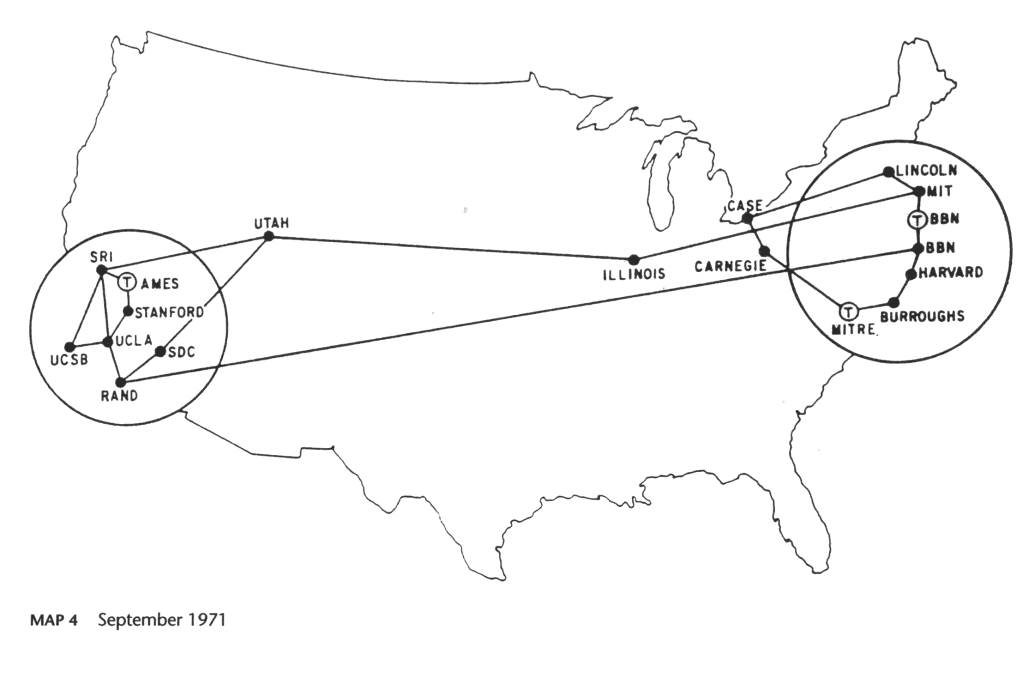
The experimenters
Until the 1990s, the Internet was mainly used by researchers and academics to exchange information and communicate with each other. The Internet was not a commercial platform and was not accessible to the general public.
Two main figures emerged from the research community and had a significant impact on the development of the Internet later on.
Douglas Engelbart
Douglas Engelbart is a leading figure in the field of human-computer interaction (HCI). He is renowned for his invention of the computer mouse, as well as for creating the graphical user interface (GUI). Engelbart also made significant contributions to the research on hypertext and hypermedia, building on the work pioneered by Ted Nelson.
 The Mother of All Demos, presented by Douglas Engelbart in 1968, is a demonstration of the NLS (oNLine System), a hypertext system developed by Engelbart and his team at the Stanford Research Institute. The demo presents various technologies that are now part of our daily lives. These include the computer mouse, video conferencing, and collaborative editing.
Ted Nelson
Ted Nelson is recognised for his investigations into organising and structuring information, and referencing it. In 1965, he introduced the term hypertext and later coined hypermedia. Although mostly theoretical and experimental, his work lacked practical applications; his vision was perhaps too complicated to implement, especially the notion of transclusion.
Still, his work had a substantial impact as a pioneer on the development of the Internet. Moreover, his research on hypertexuality and hypermedia resulted in the inception of the World Wide Web.
 Project Xanadu
Ted Nelson handwritten ideas, 1996
Project Xanadu
Ted Nelson handwritten ideas, 1996
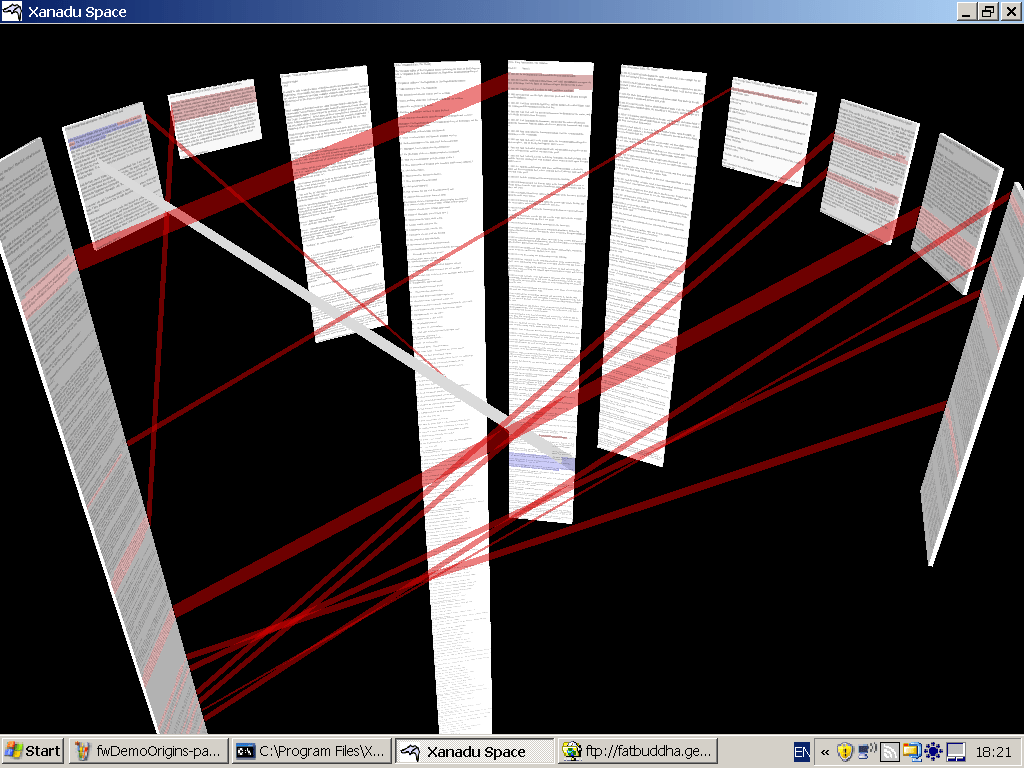
Project Xanadu, developed by Ted Nelson in the 1960s, is a theoretical hypertext system with the goal of creating a global network of hyperlinked documents.
The Root of the web
The hypertext lies at the heart of what we know as the World Wide Web, or the web. This technology was developed by Tim Berners-Lee at CERN in Switzerland from 1989-1990 and has since become the primary application of the internet. The web is a system of interconnected hypertext documents that are accessible via the internet.
 CERN, 1993
Home of the first website
CERN, 1993
Home of the first website
Don’t confuse
the Internet
and the web
The Internet is the global network of networks, the infrastructure. The web, on the other hand, is a specific application that is one of the subsets of the Internet.
Other applications of the Internet include email (SMTP), file transfer (FTP), instant messaging (IRC), peer-to-peer file sharing (BitTorrent), among several others.
Chapter two
What is the web?
The term Web or World Wide Web (WWW) stems from the metaphor of a spider’s web - a network of connected threads. The web links documents with hyperlinks and hosts them on servers, forming interconnected dots.
The server and the client
On one side, you have the server, which hosts the documents and makes them available. The documents are stored on the server and can be accessed through the URL (Uniform Resource Locator), which is the specific address of each document.
On the other side, you have the client, which is the software that requests the documents from the server, reads them, decodes them and usually displays them to the user.
Between the server and the client, communication occurs via the HTTP protocol (HyperText Transfer Protocol). The client sends a request to the server, which then sends back a response.
The client side
On the client side, the user employs a browser to request documents from the server. The browser is a software that can read and decode these documents before displaying them to the user.
While browsers cannot decode everything, they are capable of reading specific file formats, including images, videos, sounds, and most importantly documents written in one specific language: HTML (Hypertext Markup Language).
The languages of the web
The primary specific language of the web is HTML. It is a markup language that encodes text with formatting and structural information. The information is blended with its formatting instructions.
HTML is the web’s standard language, originally designed specifically for it. Later, other languages were created to expand and reinforce HTML’s functions. The first one is CSS (Cascading Style Sheets), used to alter the aesthetic output. CSS allows separation between information and presentation. The second one is JavaScript, a programming language, enabling the creation of scripts. It is the only programming language used on the client-side of the web!
The communication between
client and server
Understanding the connection between client-side and server-side is crucial to comprehend the workings of the web. Here are the fundamental stages of this communication:
One
The client submits a HTTP request via a URL.
Two
The server receives the request and sends a response back, in accordance with the request.
Three
The client receives and decodes the response, which is then displayed to the user through the web browser.
Chapter three
What is it so complicated now?
With the architecture we just described, it’s clear that building web pages began with HTML coding in a tech landscape that wasn’t user-friendly or straightforward. Technology advanced rapidly, raising expectations for what the web could achieve.
Towards a participative Web
Programmers have developed solutions for non-coders to publish content online, using tools that allow web pages to be created without programming knowledge. As explained earlier, HTML combines content and structure as a markup language. Web 2.0 emphasises the separation of content and structure, facilitated by Content Management Systems (CMS) that allow non-coders to modify website content through an interface.
The best-known example of this evolution is WordPress, which was initially designed for publishing blogs before evolving into a CMS. It was released in the early 2000s and still powers almost half the world’s websites.

The communication between
client and server with PHP
Here are the fundamental stages of this new way of communicating between client and server:
One
The client submits a HTTP request via a URL.
Two
The server decodes the HTTP request with PHP (or any other server-side language).
Three
The server requests the data needed, usually to a database.
Four
The database gives a response with the content to the server.
Five
The server injects the content into the structure and sends a response back to the client.
Six
The client receives and decodes the response, which is then displayed to the user through the web browser.
Templates
Templates replaced CSS and JS for broader availability and easier customisation. Users could choose from sets of fonts, colours, sizes and slideshow layouts, for example, through an easy-to-use interface.
 Cargo template page
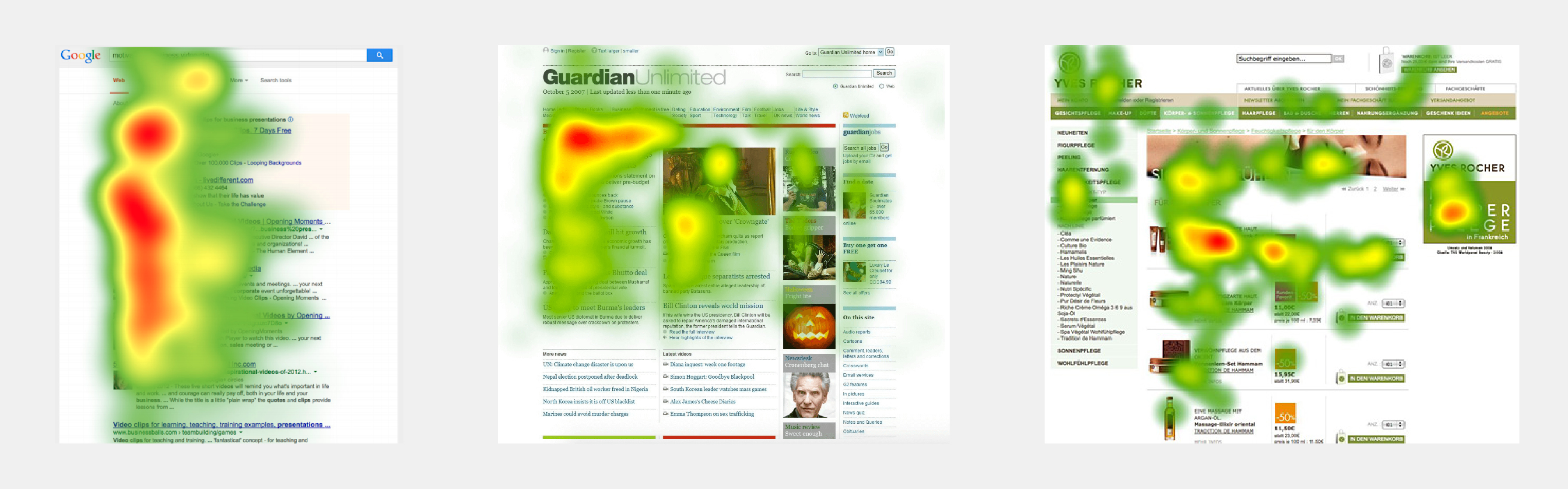
UX Design
The first requirement for an exemplary user experience is to meet the exact needs of the customer, without fuss or bother. Next comes simplicity and elegance that produce products that are a joy to own, a joy to use. True user experience goes far beyond giving customers what they say they want, or providing checklist features.
The Definition of User Experience (UX).
Nielsen Norman Group
Frameworks
We’re still based on the idea of HTML pages connected by hyperlinks, despite all this growoing expectation of what the web can do.
To address this issue, many websites now use frameworks that provide an extra layer on top of the HTTP standards. However, this contradicts the original ideology and ideals of the creators of the World Wide Web. React and Vue for JavaScript and Bootstrap and Tailwind for CSS are prominent examples.
The primary needs addressed by these frameworks are the need for greater standardisation between browsers and increased code responsiveness.
Social media sites are a good example: React was created by Facebook in the early 2010s to help develop more reactive web applications with constant requests and responses that require better integration between server and client.
The problem with these frameworks is that they render almost unreadable HTML and rely entirely on JS to implement content.
How did this
backfire?
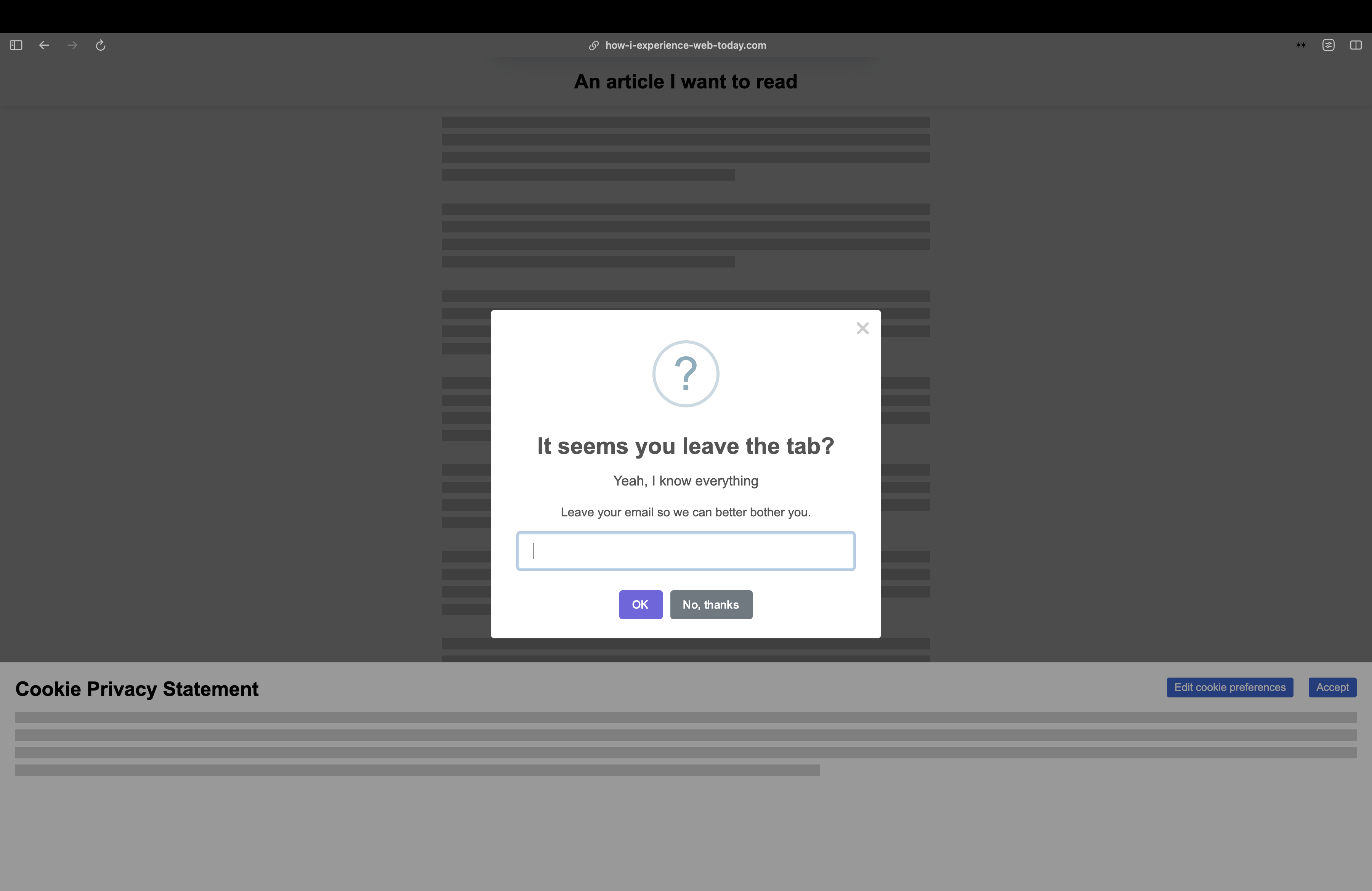
Guangyi Li, 2021
How I exeperience the web today
How did this
backfire?
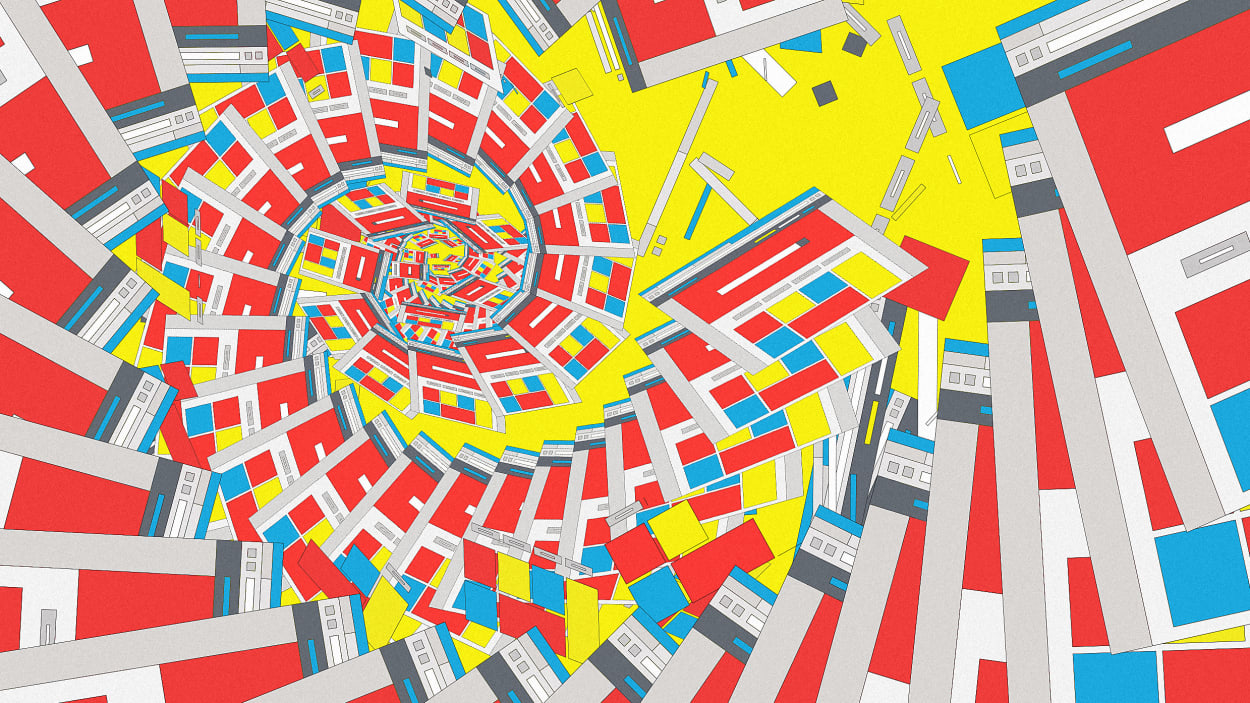
Sam Goree, 2020
Why are all websites starting to look the same?
Programmed
or be Programmed?
“Everyone could not become a computer scientist. On the other hand, we are all users. As a result, it is crucial to be conscious of what a computer is, how it works, what its limits are, and what it can do for us.”
Discussion between Buellet, S., Gimeno R., & Renon, A., 2018. To see or to read, The pedagical Legacy of Jacques Bertin; Back Office n°2, Thinking, Classifying, Displaying, B42, Paris
Today, the gap has widened between an increasingly technical web environment, and an oversimplified access. Our web interfaces are based on an obfuscation of their programmatic layers: the current web design trend maintains that a practical system should not require the user to have to understand anything of the back-end system as this is too specialized to burden them with. So the technology itself became more complex, but the design more simple.
UX EVERYWHERE
Behind these abuses lies a whole industry geared towards maximising profits, which will influence the way we think about the web on a large scale, including in sectors where economic profit is not the main concern. Cookie collection, user tracking and dark patterns are all UX techniques developed within Big Data but which will gradually spread everywhere, forcing designers and developers to take a stand against technologies that are harmful to both society and the environment.
What is a website today?
It’s easy to get lost.
In the next lecture How can the web be ethical? We will look at how to escape this unecessary complexity and what are existing web counter cultures leading towards rethinking the web on a smaller scale.